
How to activate C-scores for IWUF Taolu
When using the IWUF Taolu scoreboard, you can choose to include C-judges. If C-judges are enabled, athletes can submit a Nandu combination when registering.
To allow athletes to enter their Nandu combination, follow these steps:
-
Set the Game type for the event to Wushu - Taolu.
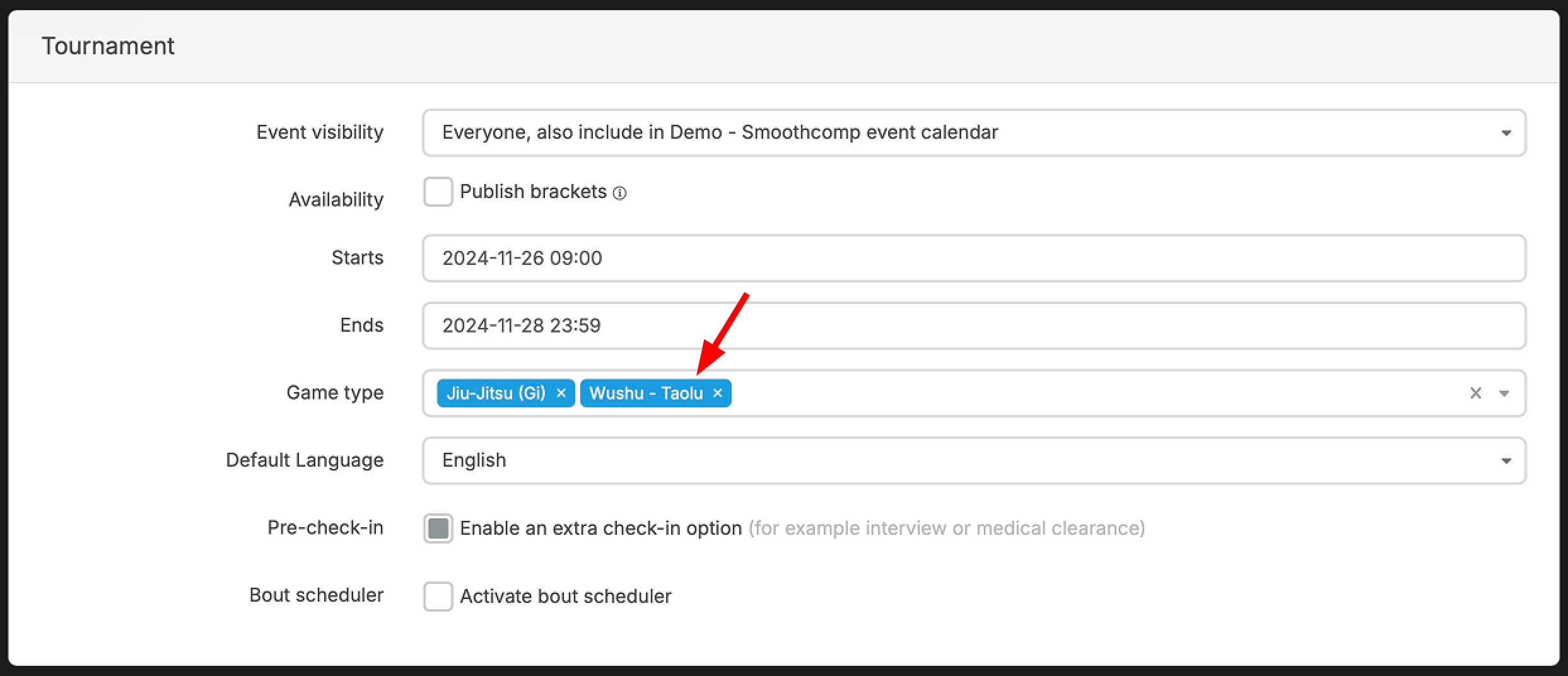
This will unlock a new option in the event settings called Game type settings. Click on Wushu - Taolu under this option.
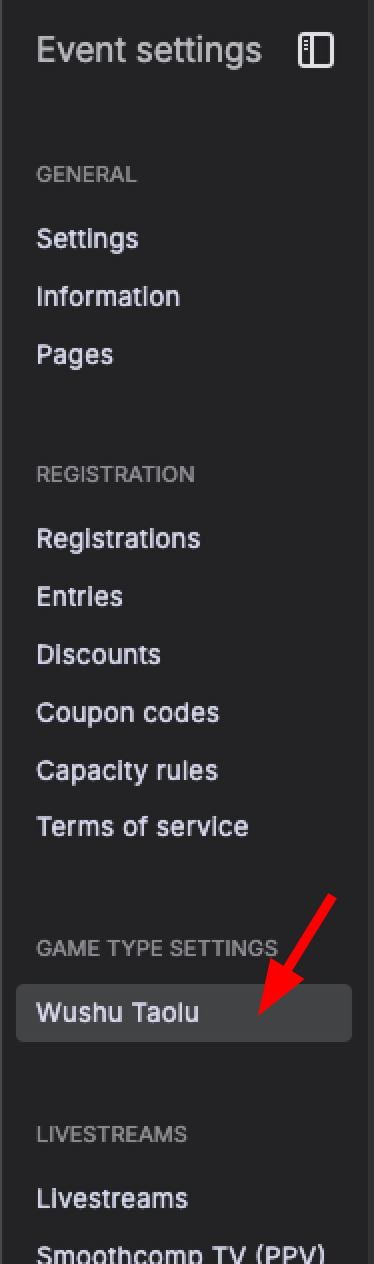
-
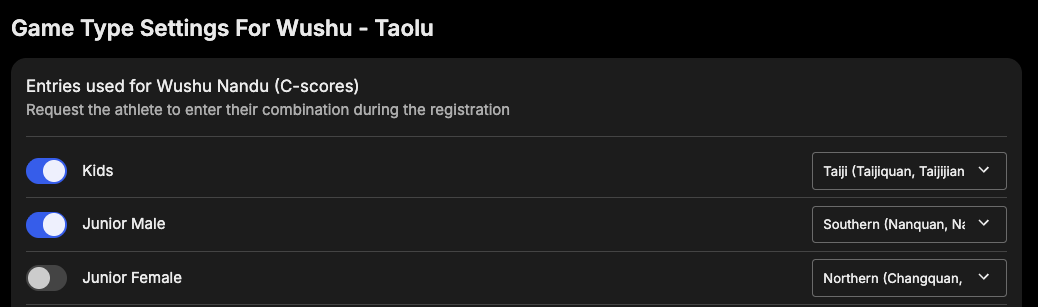
You will now see a list of all entries for the event. Activate the entries that should use Nandu combinations and select whether they should be Northern, Southern, or Taiji.
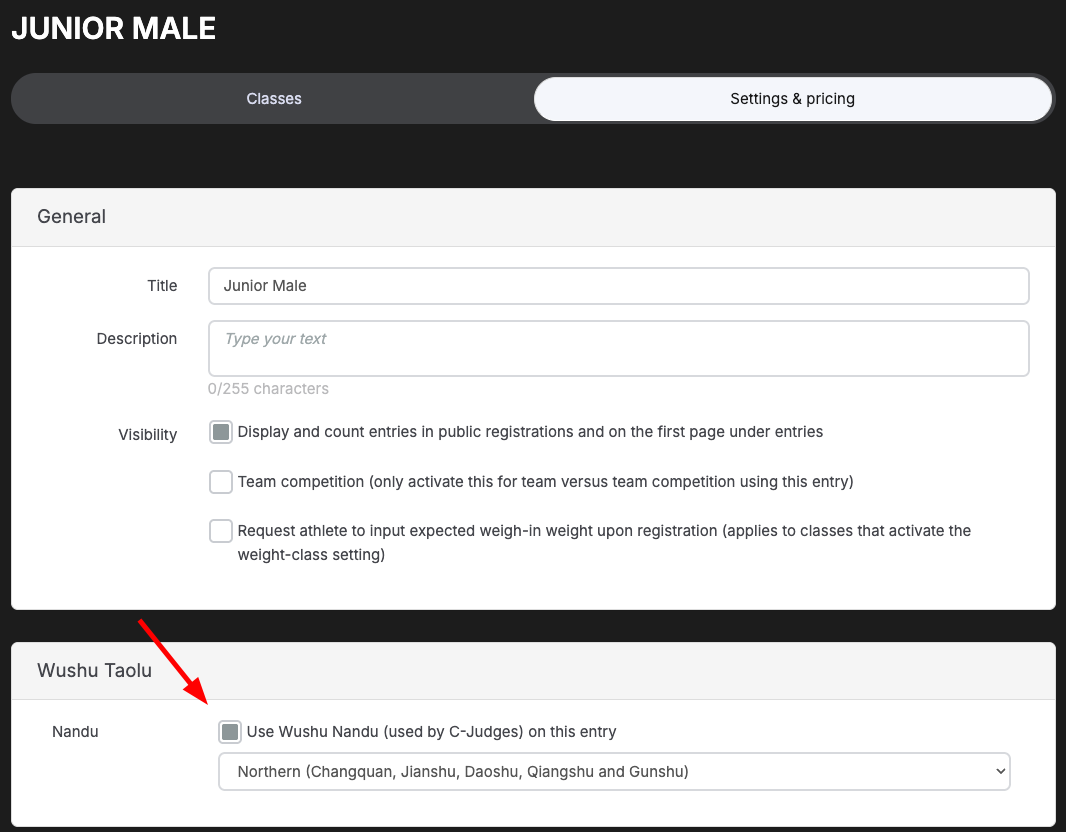
The option to enable Nandu for an entry is also available in the entry settings once Wushu - Taolu has been selected as game type.
-
When registering, the athlete enters their combination. The points awarded by the combination are displayed, and the athlete can see whether the code exceeds the maximum limit or not.
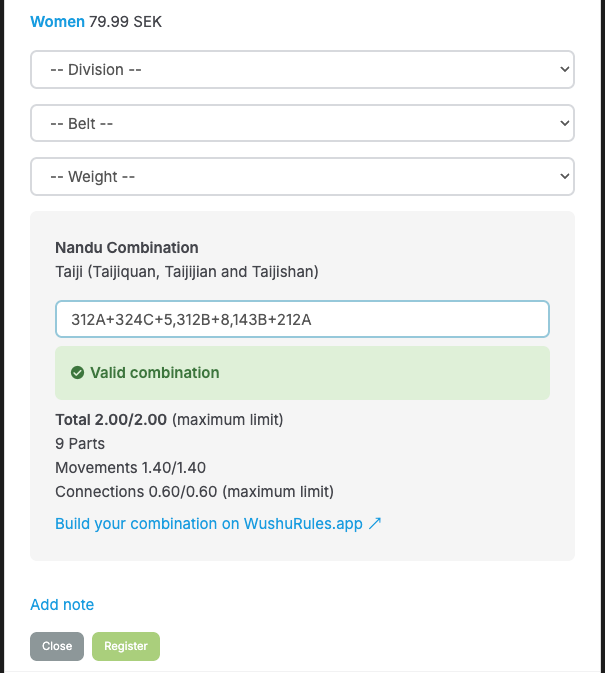
If the code is invalid, an error message is shown.
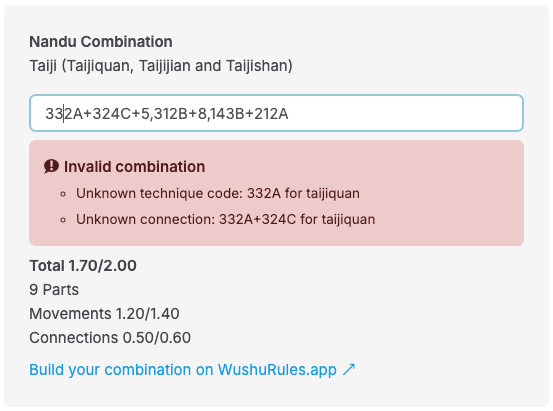
The combination can be edited by the athlete (or the organizer) in their registration until editing has been closed.
The combination and its corresponding points will be synced automatically to the IWUF Taolu scoreboard when C-judges will be used!