Wushu Sanda - Remote scoring (multiple device input)
Our scoreboard for Wushu Sanda allows for (but do not require) multiple devices inputting scores in real time sync.
The input can be made from mobile/tablet or PC depending on what you prefer. All devices needs internet access in order to deliver scores.
Setup
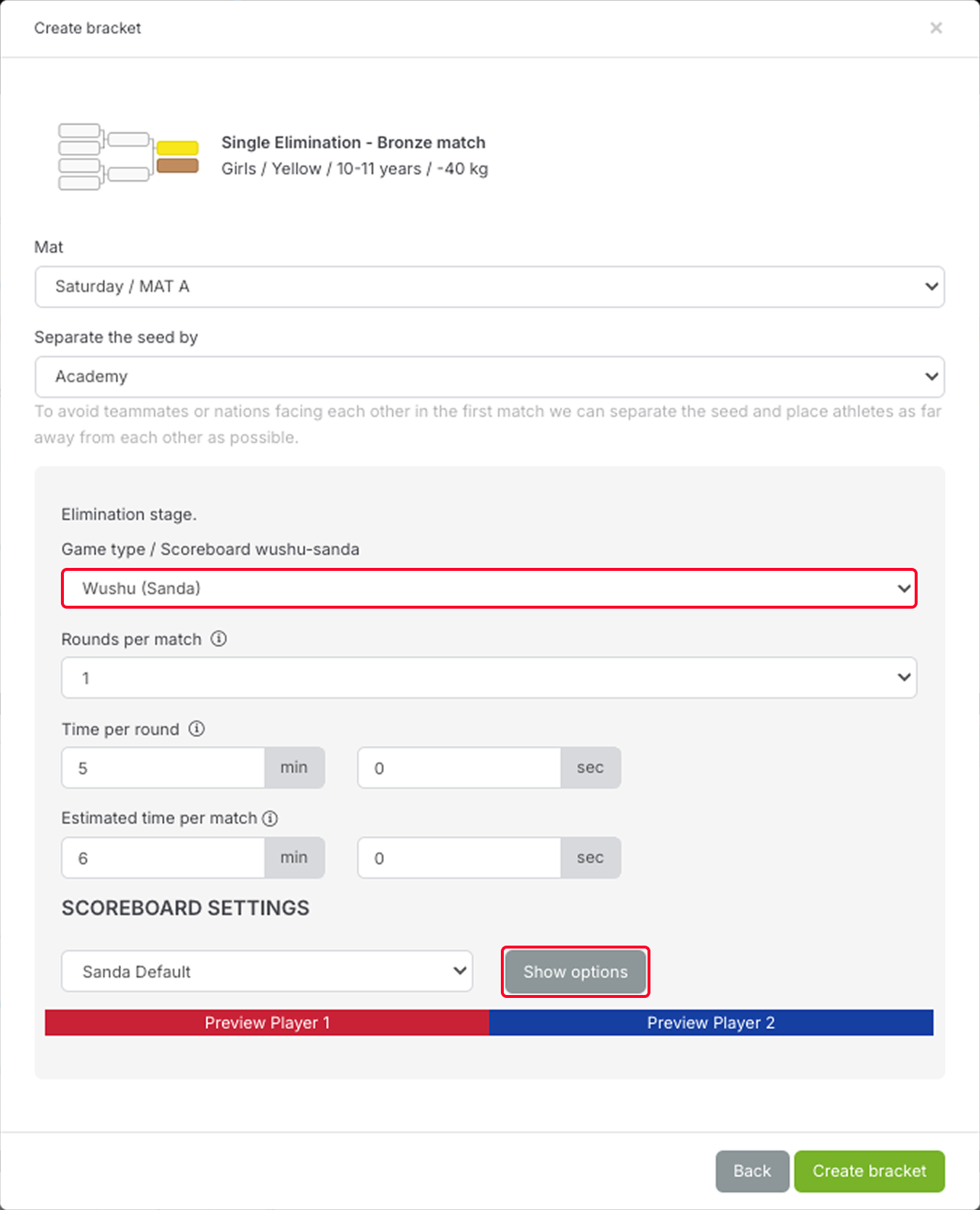
Upon creating a bracket and choosing "Wushu (Sanda)", click "Show options"
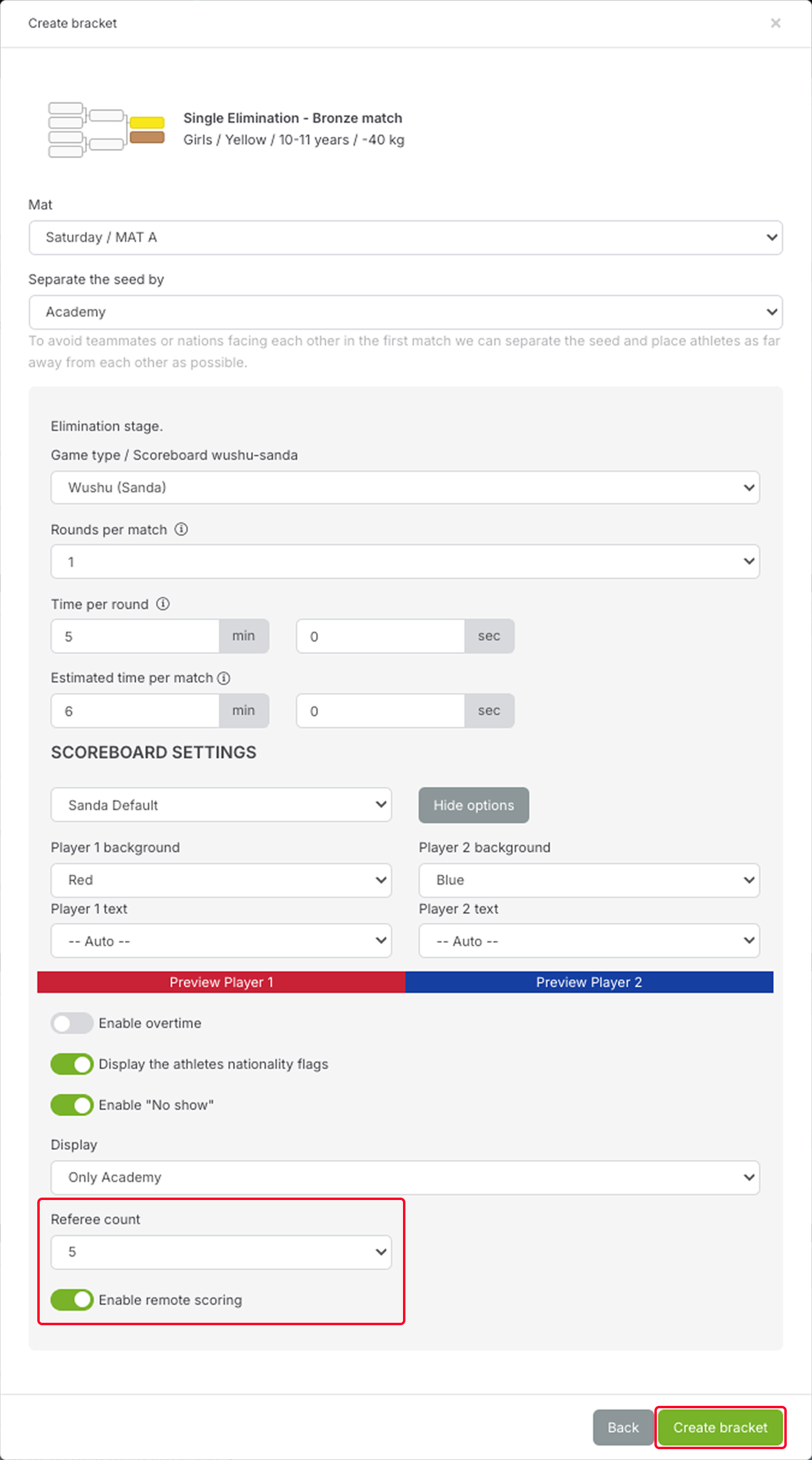
Make sure to tick "Enable remote scoring" and select the number of referees you want
Usage
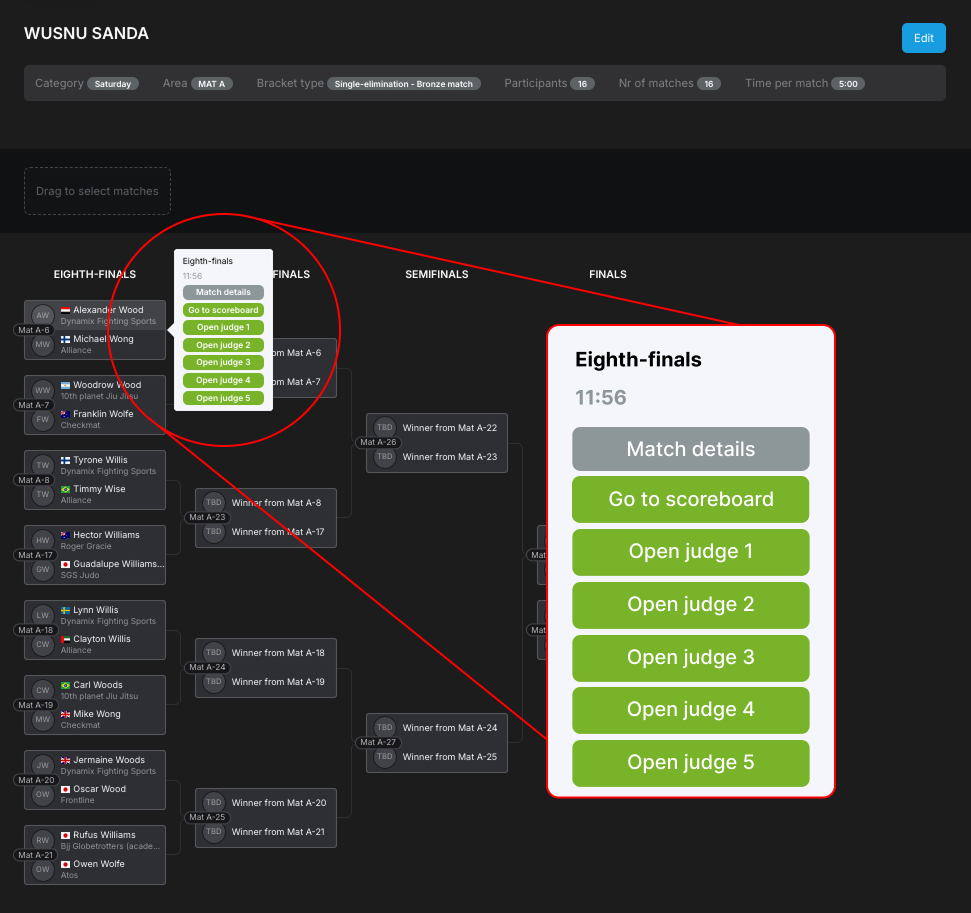
When the bracket is created each match shows up with two different link options:
- One link for the main table called "Go to scoreboard" (requires manager or organizer access)
- One link for each of the judges that shall do their respective input (requires staff access). If I am judge 1 I should click on the corresponding link to go to my form where I input my scores.
This is the view of the main table ("Go to scroeboard"):
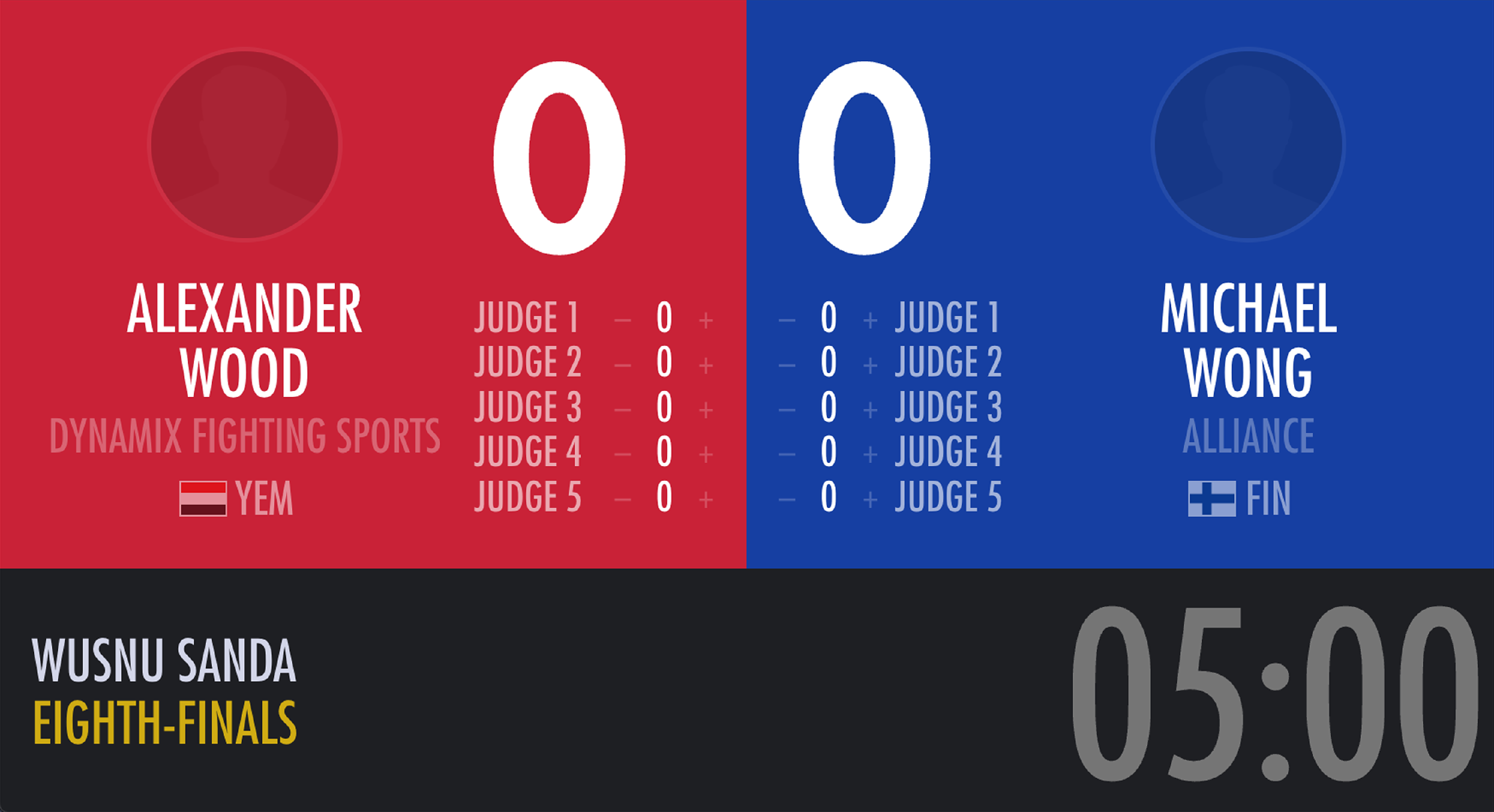
This is the view for the judges. It is very straight forward. The only controls available are adding and retracting points.

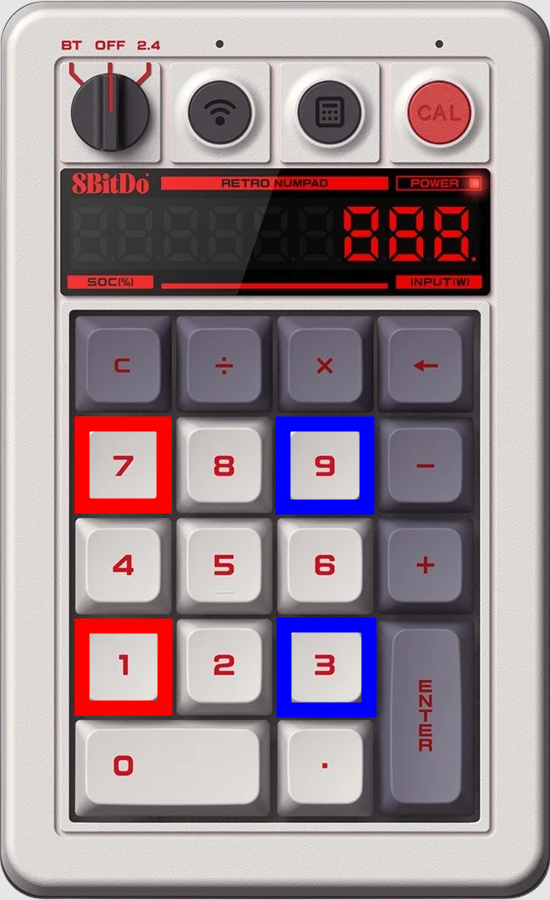
The judges can also give/deduct points by connecting a numpad to their device. 7 and 1 will add/deduct 1 point for the red athlete, and 9 and 3 will add/deduct 1 point for the blue athlete.